On arrival
Data the second you land
No hunting for airport Wi-Fi to activate anything. The line is already in the phone and connects while you're still on the jet bridge.
Travel eSIM · iPhone
Buy a data plan before you fly, add it to your iPhone on the Wi-Fi you already have, and land with the internet already working. 200+ countries, no physical SIM swap, no roaming bill in three weeks’ time.
iPhone XR and later · Plans from $0.99 · No subscription needed
Japan
—
Airplane mode
What you get
It sits next to the SIM already in your phone. Your number keeps taking calls and texts; everything else runs on the plan you bought.
On arrival
No hunting for airport Wi-Fi to activate anything. The line is already in the phone and connects while you're still on the jet bridge.
Coverage
Japan, Italy, Thailand, the United States and most of the places a passport goes. Regional plans cover Europe, Asia and the Americas on one profile.
Hardware
Nothing to eject, nothing to lose in a hotel room. Your home SIM stays where it is and keeps receiving calls and texts.
Setup
Done at the departure gate it takes about two minutes. Done after you land it needs Wi-Fi you don’t have yet, which is the whole argument for doing it first.
Pick a country and a size. Apple Pay or a card, handled by Stripe — we never see your card number. There's no account to create first and no physical SIM to post.
One tap adds the eSIM to your iPhone. It costs no data, and for most plans it doesn't start the clock — the profile sits dormant next to your usual line.
Most plans start on their first network connection at your destination, not when you bought them. Your usual number stays in the phone for calls and texts.
Destinations
Prices are what you pay, in your own currency, with nothing added at the end. These are the plans in the catalog giving the most data for the money right now.
| Destination | Data | Valid | Price | Per GB |
|---|---|---|---|---|
| Thailand | 50 GB | 10 days | $15.98 | $0.32 |
| Malaysia | 40 GB | 15 days | $20.74 | $0.52 |
| Türkiye | 50 GB | 30 days | $30.76 | $0.62 |
| Singapore | 50 GB | 30 days | $34.00 | $0.68 |
| France | 50 GB | 30 days | $34.00 | $0.68 |
| Germany | 50 GB | 30 days | $34.00 | $0.68 |
repriced 2 October 2026 · the catalog is priced in USD
The app
Dark by default, one thing per screen, and the number you actually came to check set large enough to read without stopping walking.
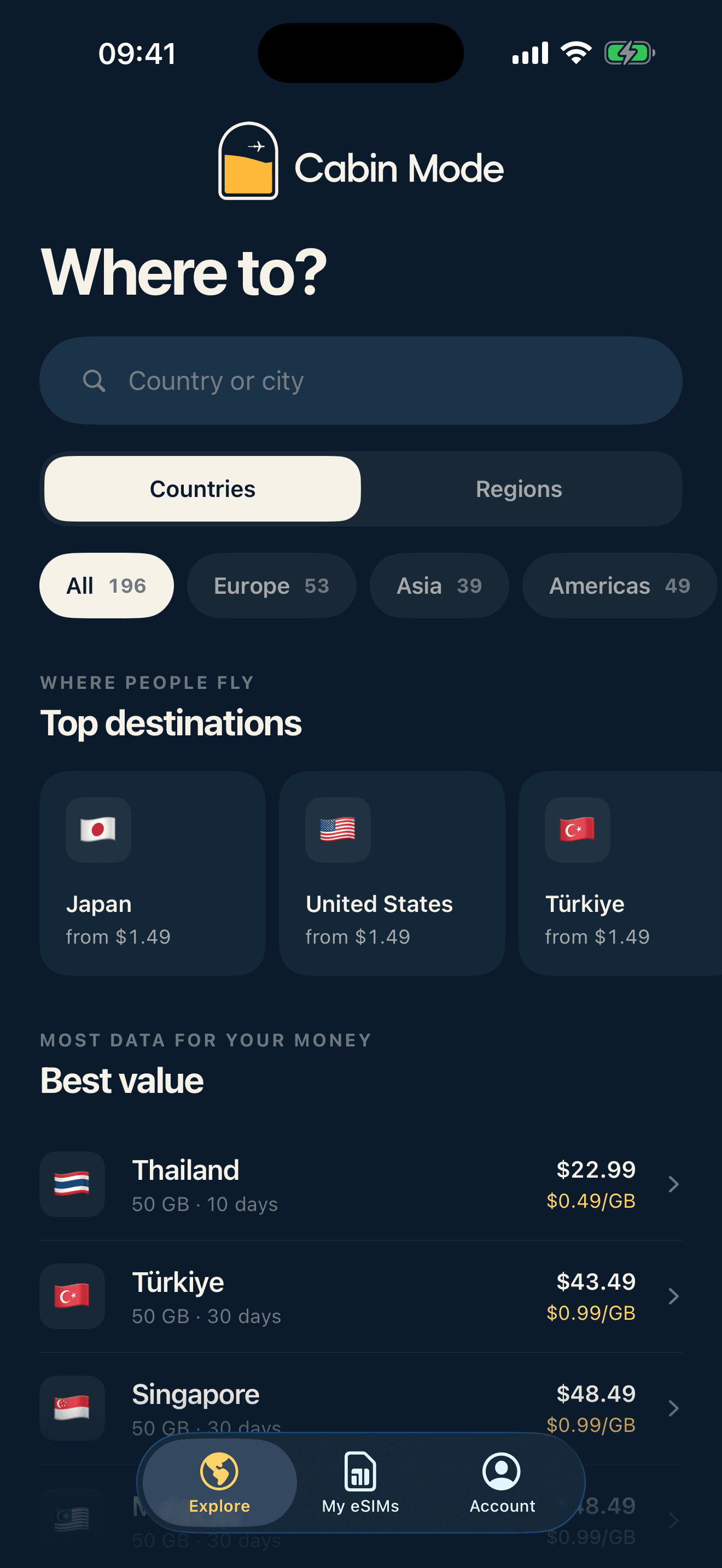
Every destination, priced per GB
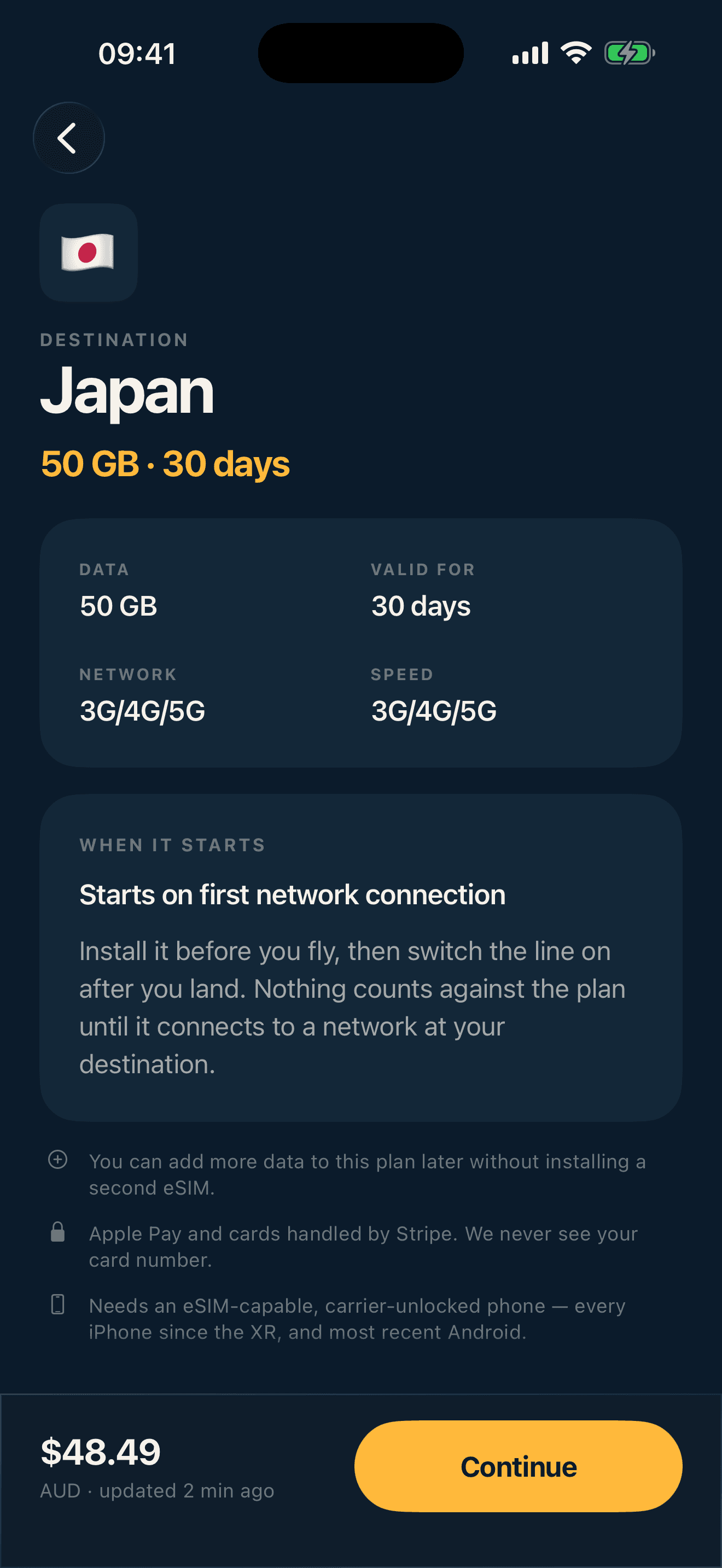
What you get, before you pay
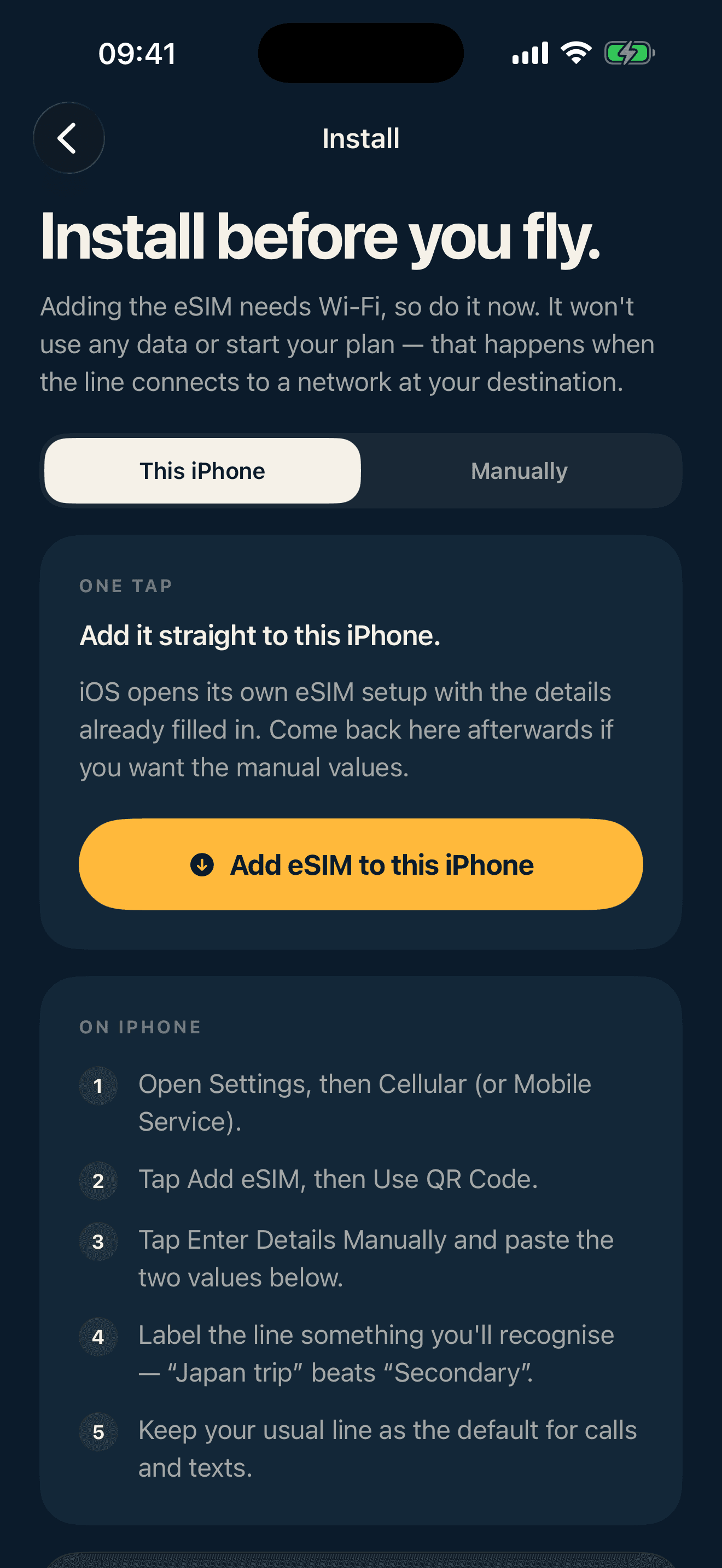
One tap adds the line
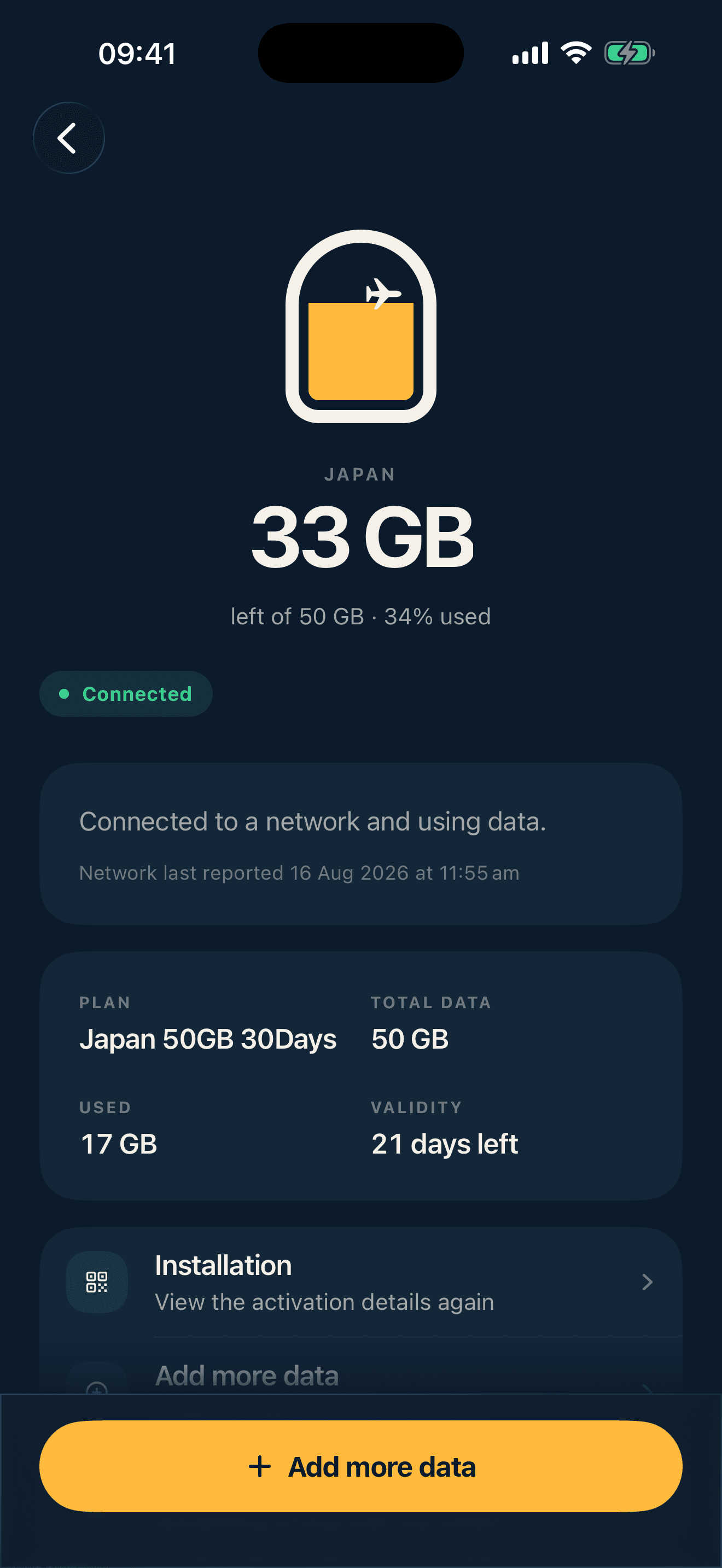
GB left, days left, live
Questions
If none of these fit, email hello@cabinmode.app and a person will answer.
A SIM built into the phone rather than posted to you. Cabin Mode sends a profile your iPhone downloads over Wi-Fi, which adds a second line alongside your usual one. Every iPhone since the XR supports it.
For almost every plan, on the first network connection at your destination — not at purchase, and not at install. Install it at home before you fly and nothing counts against the plan until the line finds a network abroad. A few plans start at install instead; the plan says so before you pay.
Yes. The eSIM is a second line for data. Your usual SIM stays in the phone as the default for calls and texts, and you set the Cabin Mode line as your mobile data line.
Three things, in order: set the Cabin Mode line as your mobile data line, turn data roaming on for that line only, then toggle Airplane Mode off and on to force a fresh network search. Some networks take a few minutes to admit a new profile.
Usage comes from the network operator and lags one to three hours. The figure on your eSIM is the last one reported, not a live meter — the timestamp under it tells you how old it is.
Only while it's still valid and has data left. Validity starts when the plan activates and keeps counting down whether or not you're travelling. Once it expires the line stops working and a top-up won't revive it.
Yes. Top up the plan you already have from inside the app. It reuses the same profile, so there's no second eSIM to install and nothing to reconfigure on the phone.
If the profile hasn't been downloaded to a device yet we can usually cancel it and refund in full. Once it's installed the network has issued it, and we review case by case. Email us with your order and we'll tell you which applies.
Free to download. You only pay when you buy a plan, and the plan doesn’t start until you land.
Download on theApp Store